
Watch a scene build
The AI Creation Flow
From a single spark of imagination to high-fidelity visual assets in four seamless steps.
Define Your Vision
Type a prompt or upload a reference photo. ideasee reads the mood, style, subject and platform so the first draft matches your intent.
Generate a Free Preview
A soft-focus draft renders in seconds. Review the composition, swap the look, or add a reference — no credits are spent until you approve.
Approve the Final Render
Hit create and the sharp final streams in. Images cost 5 credits at 1K (10 at 2K, 20 at 4K); motion clips start at 120. Skip the preview any time to go straight to final.
Caption, Save & Export
Auto-suggested captions and hashtags fit the platform you chose. Every final lands in your private Library, ready to download or reuse.
Same scene, three moments
Prompt → Preview → Final render
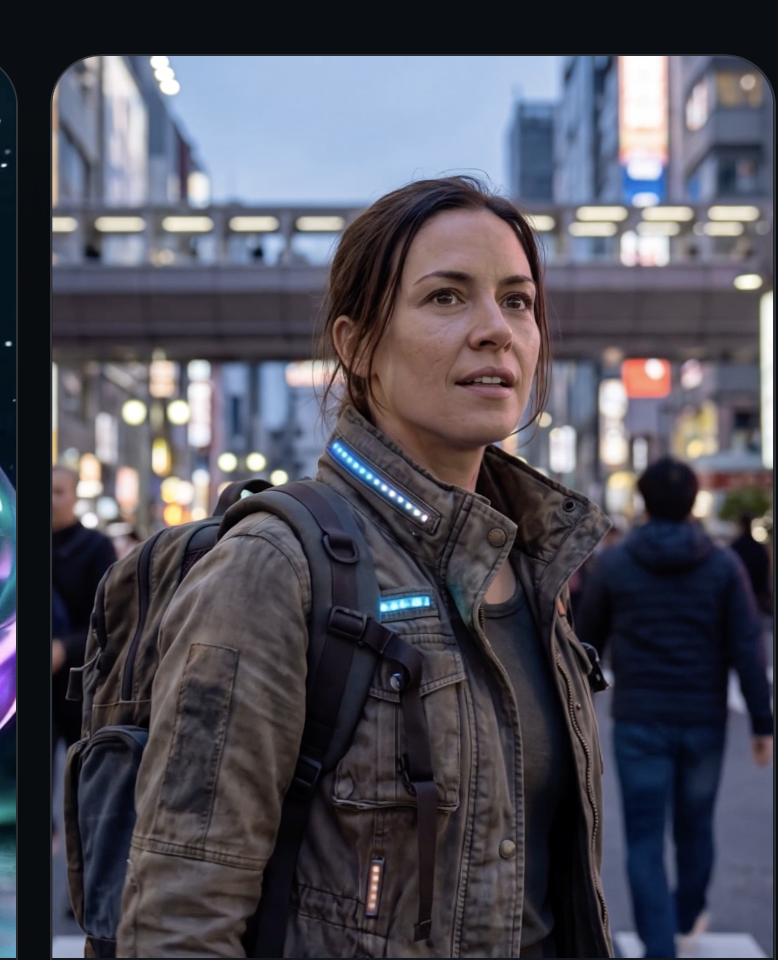 Prompt
Your prompt
Woman in a worn tactical jacket with LED trim, neon Tokyo street at dusk, shallow depth of field
PreviewFinal renderPreviews are free. Finals start at 5 credits an image, 120 a clip.
New accounts start with 100 credits — enough for twenty 1K images before you top up.